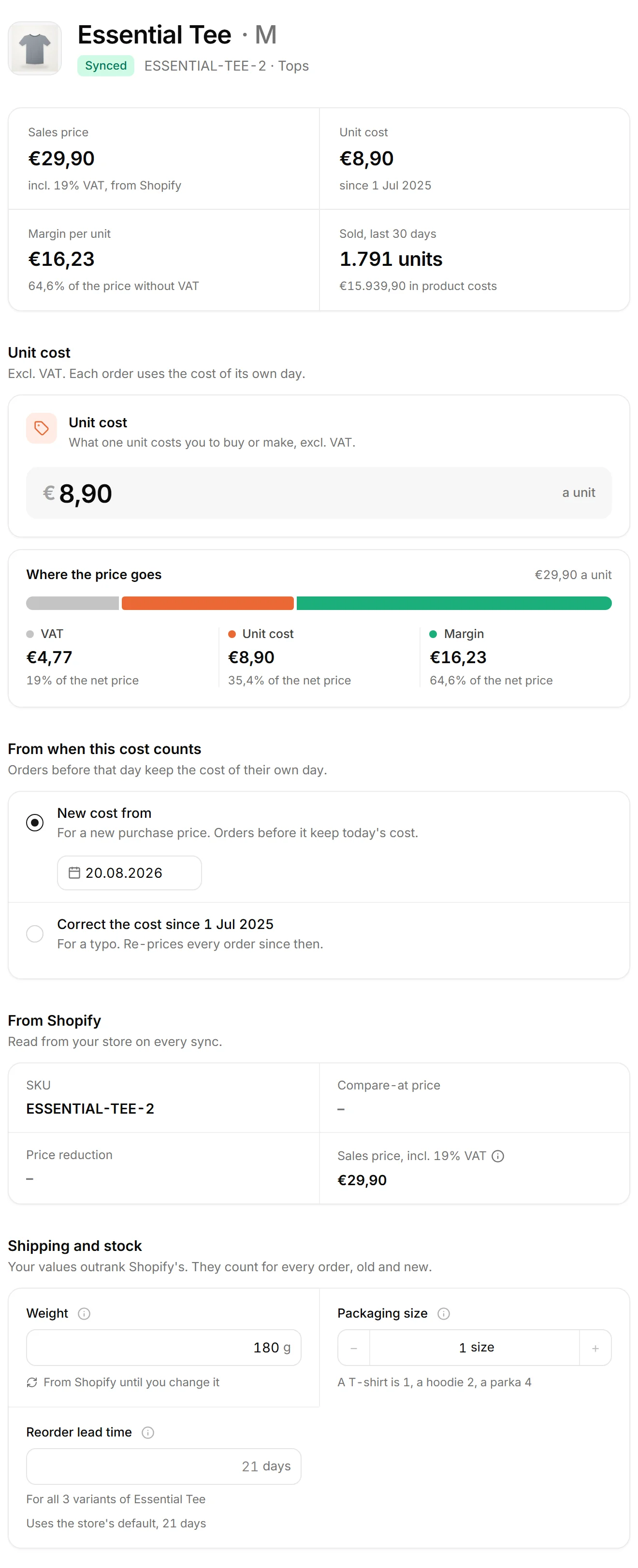
It is deliberately narrow. Saving a cost normally closes the previous rule the day before and opens a new one, so nothing before the new date moves. Backdating widens that window on purpose, and only as far back as the date entered.
A worked case: a hoodie's supplier price rose from €24,90 to €28,36 on 1 February, and the invoice that said so arrived on 10 March. Saved with that day's date, the new cost would leave every February hoodie at €24,90, €3,46 too little per unit; at 150 hoodies sold in February, that is €519,00 of CM1 the statement shows and the store never had. Saved with an effective-from date of 1 February instead, it re-prices February and the first days of March, and January stays exactly as it was.
The recomputation that follows is a feature rather than a repair. Days from the backdated date forward are re-priced with the corrected rule, and everything earlier keeps the value that was effective then, which is what keeps the history a record rather than a rolling estimate. The whole routine is set out in backdating a cost safely.
It is not the same as editing. Backdating adds a new rule with an earlier start and leaves the old rule's history intact up to the day before; editing a rule rewrites its whole period, which is right for a typo and wrong for a price that genuinely changed. It works the same for every cost type: a carrier's rate card, a payment provider's fee, a pick and pack contract or an overhead cost that started earlier than you entered it.
The habit worth having is to note why. A month that changed after it closed should always have a reason attached, and a backdated cost carries its reason in its own effective-from date.
In nouz every cost page takes a date in the past where you choose when a new cost starts: New prices from, New fee from or New cost from. The days from that date forward are recalculated with the new value, and the P&L, Insights and the daily figures move together. A cost you entered for a later day stays. A date in the future works the other way round: the cost waits for its day, and the Forecast already prices it.