- nouz
- Help centre
- Setting up your costs
- Are payment fee rates filled in for me?
Setting up your costs Answer 36 of 46 Updated
Are payment fee rates filled in for me?
For Shopify Payments you need no rate at all: nouz uses the fee Shopify itself reports on each payment. So Transaction Costs on your P&L carry what Shopify really charged, not a guess. For every other payment method, you type the rate once: a percentage plus a fixed fee per payment. No rate is filled in for those.
On the Transaction fees page, a method whose fee Shopify reports is marked Automatic, like Shopify Payments. Its row shows the lowest and highest rate Shopify charged you, like 1,90% to 2,90%. Open it to see each rate under Rates from Shopify: its name, its fee, how many payments it priced and what it takes from a typical payment. Klarna, iDEAL and the other methods Shopify Payments takes payments through by name each have an Automatic row of their own, like Klarna via Shopify Payments, with their own rates, payments and fees. These come from Shopify, so there is nothing to type or change.
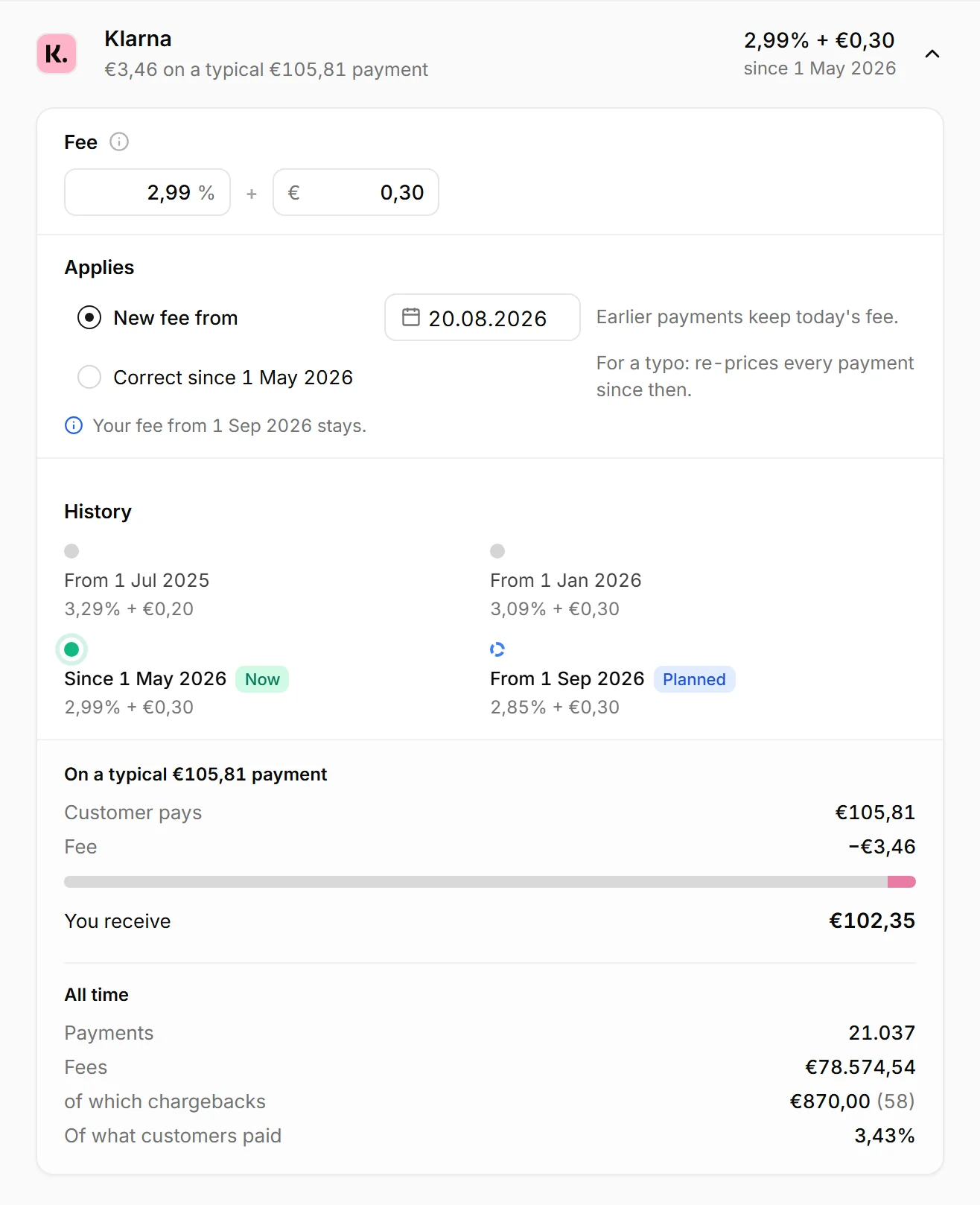
Your own fees count wherever Shopify reports no fee. That covers PayPal, Klarna or Mollie through their own apps, bank transfer, cash on delivery and marketplace orders. It also covers any Shopify Payments payment that came without a fee. On an Automatic row the field is called No fee reported, and a fee typed there prices only those payments.
A method with payments that no fee prices shows Add its fee in amber, at the top of the list, however long ago those payments were. Until it has a fee, its payments count as zero, so your profit looks higher than it is. A fee on Other is a catch-all: it prices every method without a fee of its own, and those rows read Priced by Other. A method's own fee always wins. Each fee has a start date, so a new rate prices payments from that day on.
When you take payments through another provider, Shopify adds its own fee on top, at a rate that depends on your Shopify plan. Include it in that method's percentage. The info tip beside Fee shows Shopify's current figures while you edit it.
To check a rate, take one month of your provider's payout report and divide the fees by the money charged. That true blended rate is almost always a bit above the advertised rate. The fixed fee weighs more on small orders: a fixed €0,30 on a €20,00 order is already 1,5%.
Where you find it Transaction fees · a payment method
Was this answer helpful?
More in Setting up your costs
All 46 questions- 34 Does nouz handle EPR registration or reporting?
- 35 What does the Transaction fees page show?
- 36 Are payment fee rates filled in for me? You are reading this
- 37 How do I add a payment fee rule?
- 38 How are chargeback fees handled?
See what your store really kept yesterday.
Install nouz in minutes from the Shopify App Store. It imports every order your store has ever taken. Cancel anytime.