- nouz
- Help centre
- Getting started
- Can I skip a step and come back to it?
Getting started Answer 12 of 20 Updated
Can I skip a step and come back to it?
Yes. Every step can be skipped, and so can the whole wizard. A skipped step never leaves a wrong number. It leaves a data health flag, which is a warning that something is missing. For example, the P&L says that marketing spend is incomplete. Or it says that some products have no cost. It never treats the missing amount as zero.
The wizard has up to four screens: connecting Shopify, the import, your ad accounts and a summary. Skip setup for now takes you to your dashboard, or to choosing your plan if none is active yet. Before your store is connected, the wizard shows a link to Support instead. The import keeps running on its own either way, so leaving early loses nothing.
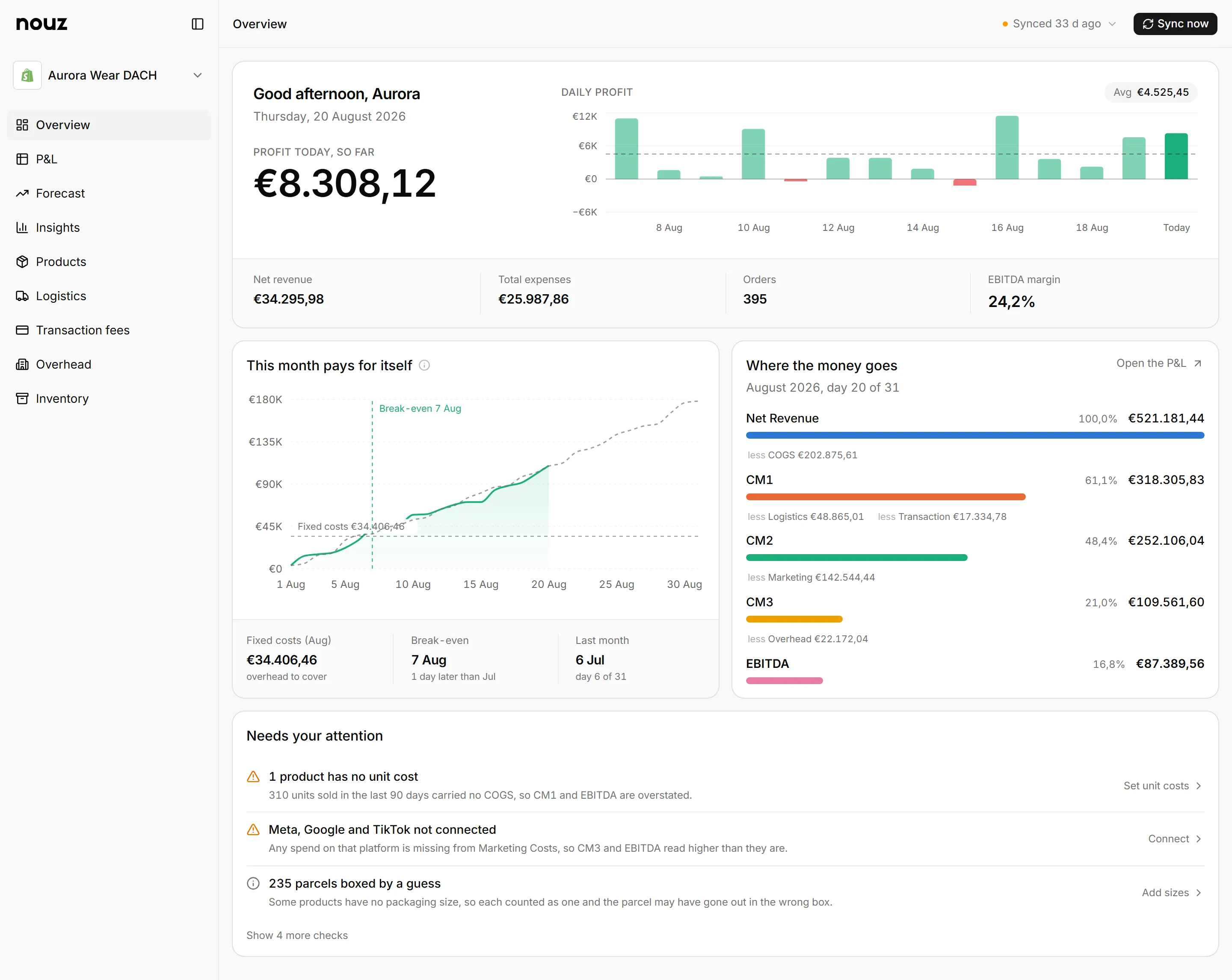
To come back, open the right page rather than the wizard. Ad accounts connect in Settings, under Integrations. Product costs go on the Products page. Shipping, packing and returns go on Logistics. Payment fees go on Transaction fees. Fixed costs go on Overhead. The Overview lists what is still missing under Needs your attention, each item with a link to the page that fixes it.
This is the rule behind the whole product. A missing cost is shown as missing, never assumed to be nothing. A margin worked out on missing data is worse than no margin at all.
Where you find it Overview · Needs your attention
Was this answer helpful?
More in Getting started
All 20 questions- 10 What happens on day one of the trial?
- 11 What are the onboarding steps?
- 12 Can I skip a step and come back to it? You are reading this
- 13 Which currency does my store report in?
- 14 Which timezone decides what counts as today?
See what your store really kept yesterday.
Install nouz in minutes from the Shopify App Store. It imports every order your store has ever taken. Cancel anytime.