- nouz
- Help centre
- Reading your P&L
- Can I export the statement itself?
Reading your P&L Answer 27 of 36 Updated
Can I export the statement itself?
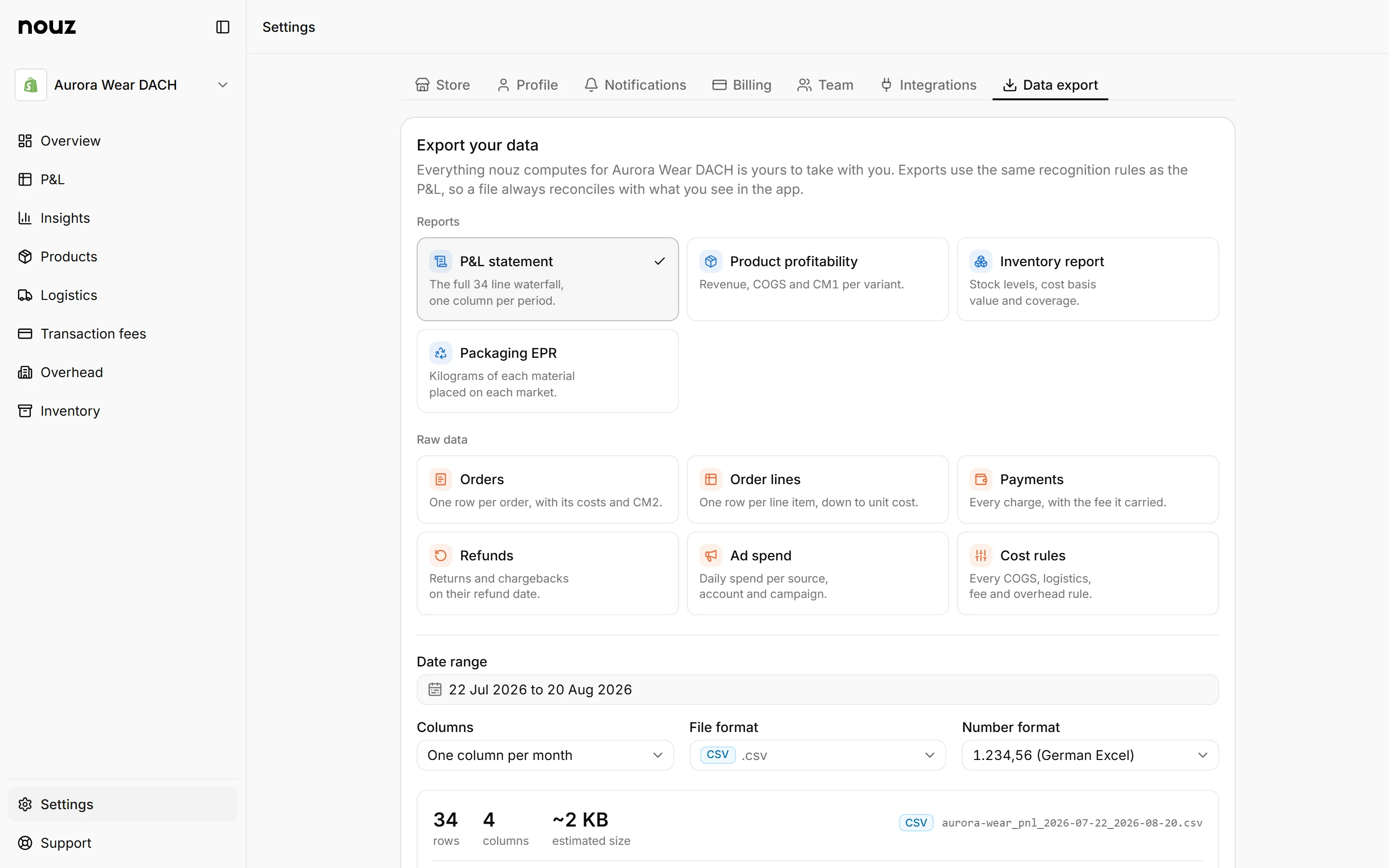
Yes. Go to Settings, then Data export, and pick P&L statement. You can choose one Total column, or a column per day, week or month. The file uses the real period names, like Aug 2026.
Pick the date range and the format, CSV or Excel. Before you export, the preview shows the exact columns, the number of rows and the file name. Each percentage line comes out as a row of its own. The numbers are the same as on the P&L page, to the cent. A CSV also asks for its number format: 1.234,56 for German Excel, or 1234.56 for other tools.
Press Export to make the file. Big exports are prepared in the background, and nouz emails you when one is ready. Finished files wait under Recent exports. Their download links expire seven days after the export is made. Anyone on your team can export, an Analyst too.
Reports and raw data are separate choices. The P&L statement, product profitability, the inventory report and packaging EPR are reports, as CSV or Excel. Orders, order lines, payments, refunds, ad spend and cost rules come out as raw rows, also as JSON. On Base, individual exports pause while a paid month is past its order limit.
Where you find it Settings · Data export
Was this answer helpful?
More in Reading your P&L
All 36 questions- 25 Why does my P&L differ from Shopify's numbers?
- 26 What is in the daily profit email?
- 27 Can I export the statement itself? You are reading this
- 28 Why does the export ask about number format?
- 29 Why do numbers look like 1.234,56?
See what your store really kept yesterday.
Install nouz in minutes from the Shopify App Store. It imports every order your store has ever taken. Cancel anytime.