- nouz
- Help centre
- Reading your P&L
- How is VAT handled?
Reading your P&L Answer 19 of 36 Updated
How is VAT handled?
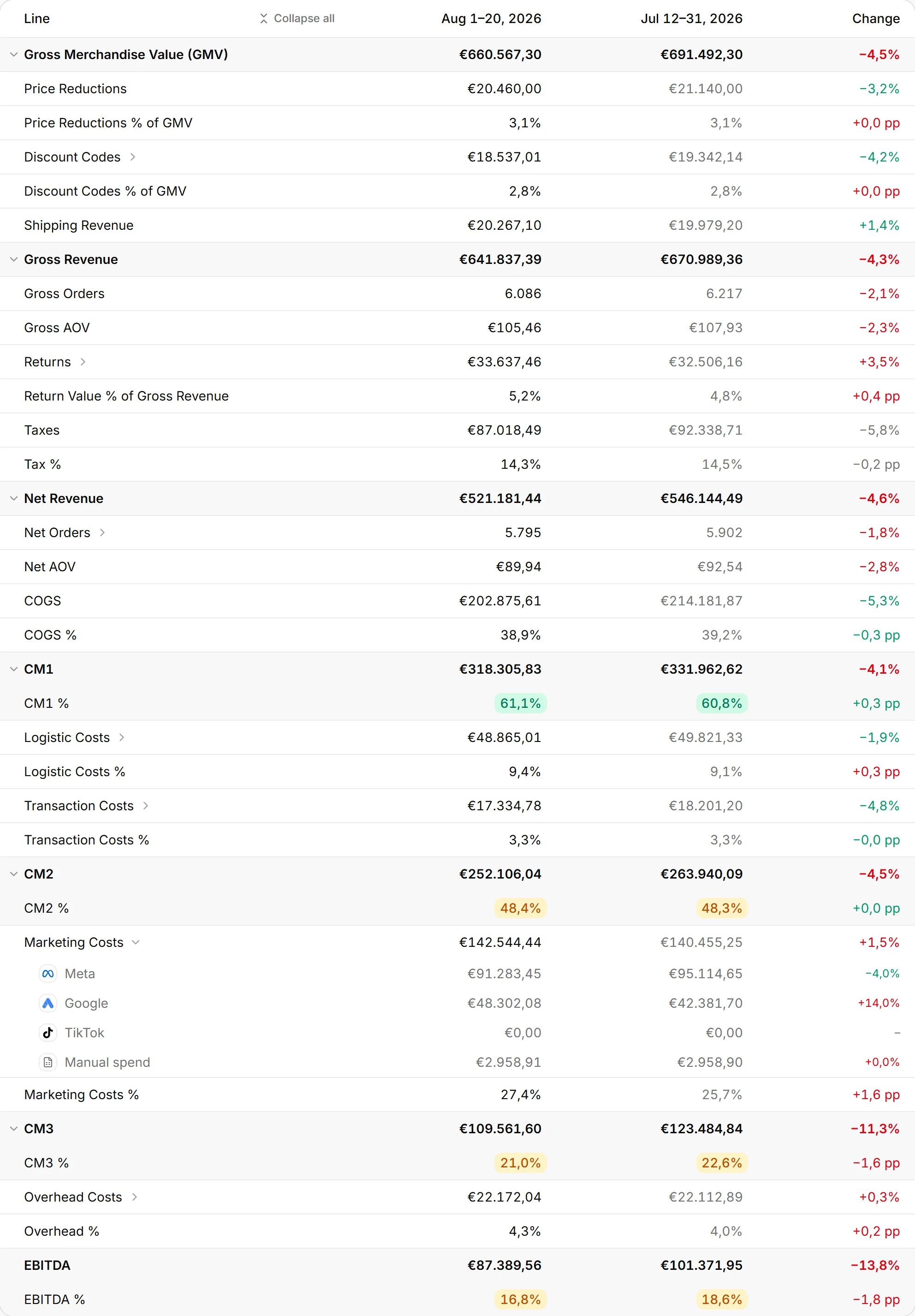
Everything down to the Taxes line includes VAT. Net Revenue and every line below it leave VAT out. VAT is the sales tax you collect for the state, so it was never your money.
So GMV, discounts, shipping revenue, Gross Revenue and Returns show what customers paid, VAT included. Net Revenue shows what your business keeps. Here is an example at 19% VAT. An order of €119,00 puts €119,00 into Gross Revenue. It puts €19,00 on the Taxes line, and €100,00 into Net Revenue.
The Taxes line is the VAT inside what you kept. nouz reads the tax Shopify recorded on each order, shipping included. Then it takes off the tax on anything refunded, on the day of the refund. nouz never uses a VAT rate of its own. That keeps it right if you sell at several rates or into several countries.
Tax % is the VAT as a share of what customers paid after returns. A store that sells only at 19% sees 16,0% there. That is because €19,00 is 16,0% of €119,00.
Splitting VAT out keeps your margins honest. A margin worked out on prices with VAT looks better than it really is. So enter your own costs without VAT too, as your suppliers' invoices show them before tax. A shop whose prices exclude tax, as in the US, is put on the same basis. Each of its lines gets the tax Shopify charged on it. So its P&L reads the same as for a shop whose prices include tax. VAT is also one of the reasons your P&L differs from Shopify's numbers.
Where you find it P&L · lines 7 to 14
Was this answer helpful?
More in Reading your P&L
All 36 questionsSee what your store really kept yesterday.
Install nouz in minutes from the Shopify App Store. It imports every order your store has ever taken. Cancel anytime.