- nouz
- Help centre
- Setting up your costs
- Where do I put an influencer retainer or other marketing spend?
Setting up your costs Answer 41 of 46 Updated
Where do I put an influencer retainer or other marketing spend?
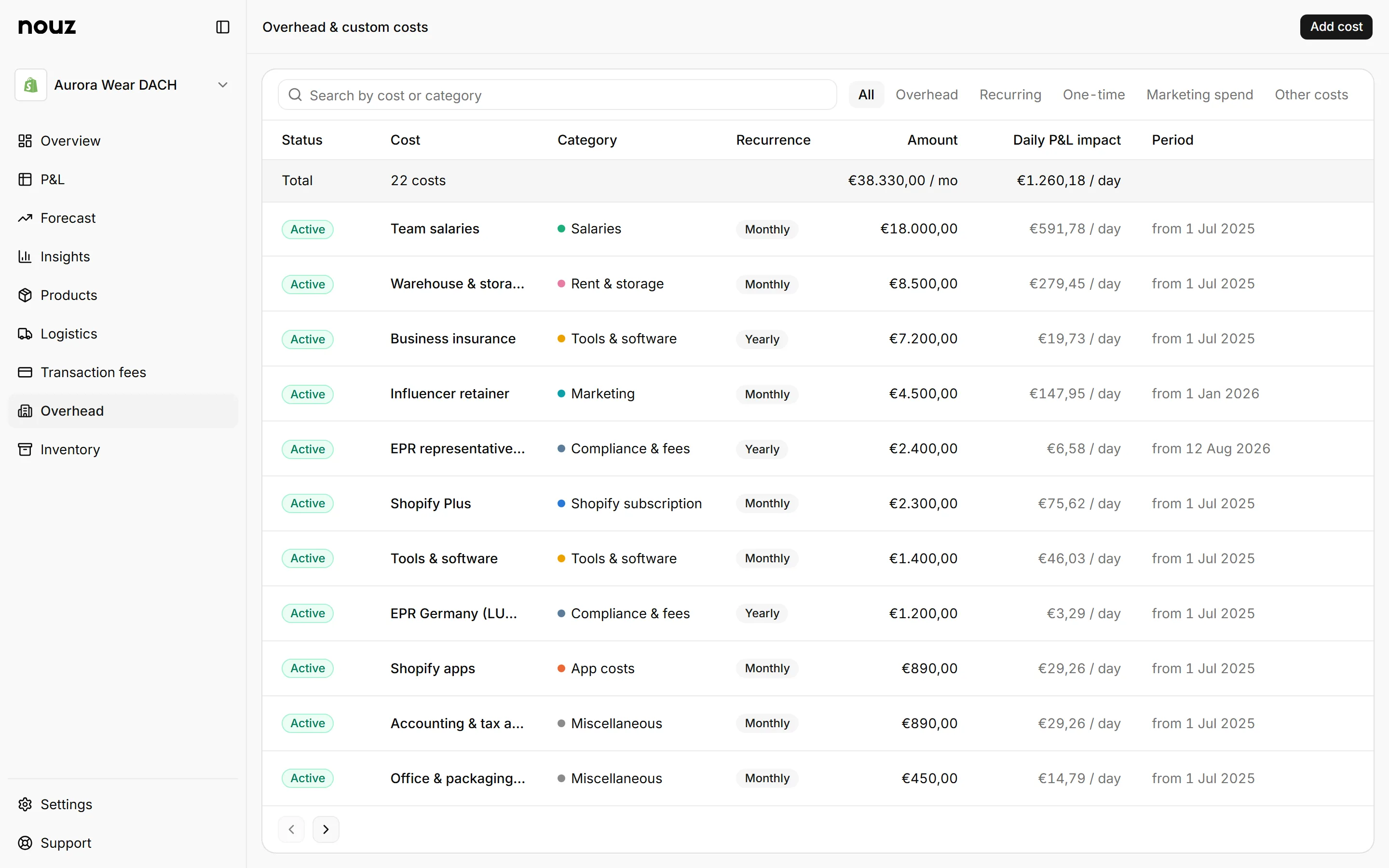
On the Overhead page: click Add cost, choose Marketing spend, and enter the retainer as a monthly amount. Marketing spend is advertising that no ad connector brings in, like influencers, sponsorships or an agency.
It counts in Marketing Costs, line 27 of your P&L (your profit and loss statement), next to Meta, Google and TikTok. So it lowers CM3, which is what you keep after marketing too, and your EBITDA. It does not count as overhead. The Overhead page lists it under the Marketing spend tab, and A month, at the top, says how much of it is marketing.
The form asks for the Campaign, an optional Channel or account, the Amount excl. VAT, and When: One-time, Monthly or Yearly. A one-time amount lands on its Date. A monthly or yearly amount is spread evenly over every day from its Start date, until its End date if it has one.
Under the form, nouz shows what the entry does to your P&L. A €600,00 monthly retainer, for example, costs about €19,73 a day. Once the entry reaches days already on your P&L, you also see that month's CM3 before and after it.
Spend you keep in a spreadsheet, one row per day, can come in as a file. Click Import a CSV instead on the same form. On the P&L, open Marketing Costs to see hand-typed spend on its own row, Manual spend.
Where you find it Overhead
Was this answer helpful?
More in Setting up your costs
All 46 questions- 39 What does the Overhead page show?
- 40 How do I add running costs, one-offs and my own categories?
- 41 Where do I put an influencer retainer or other marketing spend? You are reading this
- 42 What are Other costs on the Overhead page?
- 43 How do I add or delete a Custom category?
See what your store really kept yesterday.
Install nouz in minutes from the Shopify App Store. It imports every order your store has ever taken. Cancel anytime.