- nouz
- Help centre
- Reading your P&L
- How should I read the margin waterfall?
Reading your P&L Answer 15 of 36 Updated
How should I read the margin waterfall?
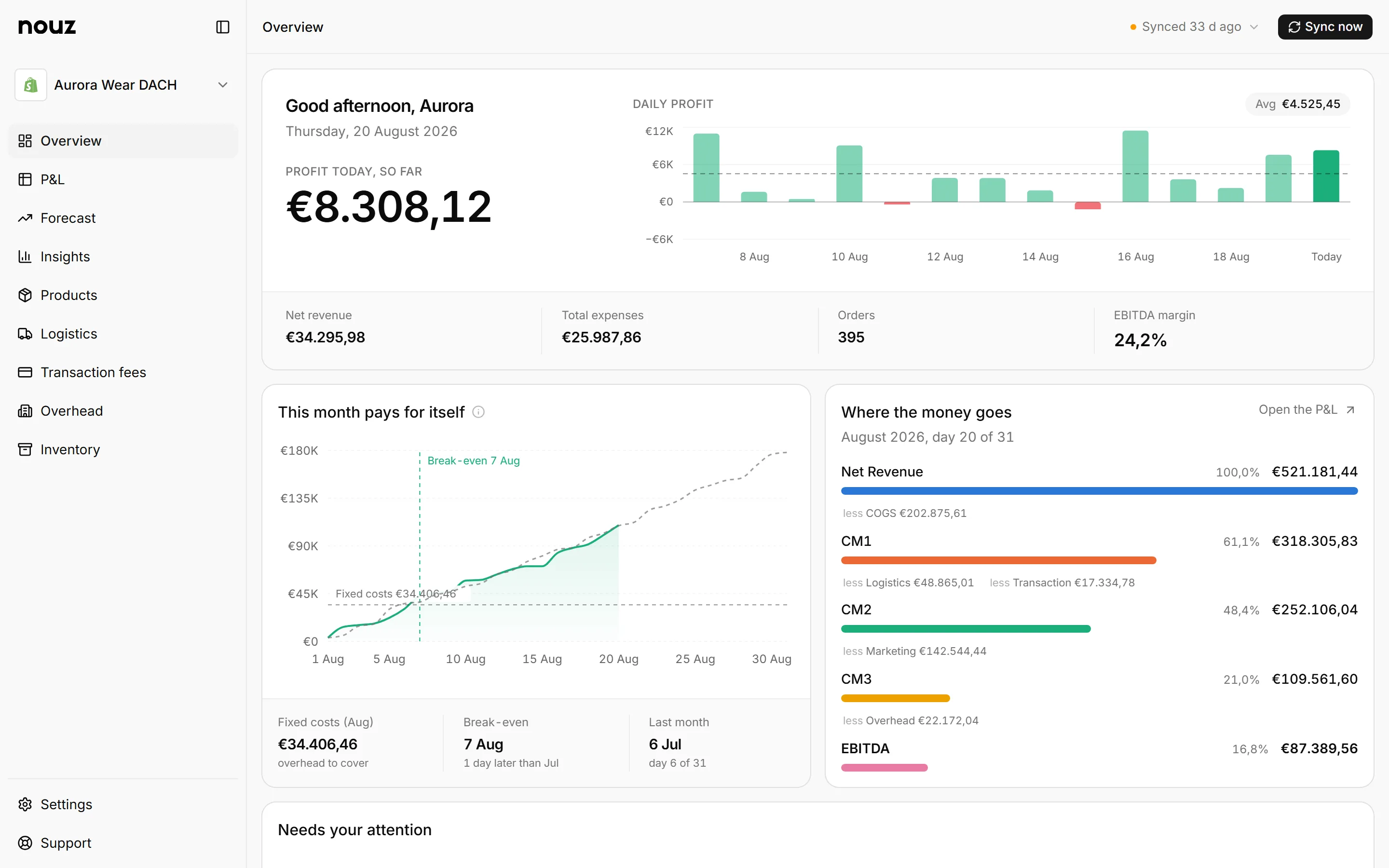
Read it from top to bottom, as four questions. On the Overview, the waterfall is the card called Where the money goes. It covers this month so far, like 1 to 20 Aug.
It has five bars. Net revenue comes first: your sales after VAT and refunds. CM1 is what is left after the products themselves. CM2 is what is left after shipping and payment fees too. CM3 is what is left after marketing too. EBITDA is what is left after your fixed costs.
Every bar after Net revenue ends in a striped stretch. That stretch is the cost taken away at that step. So you ask, step by step: do my products earn money? Does each order earn money? Do my ads pay off? Does the whole store earn money? The step that loses the most is the one to fix first. It is often not the one you expected.
Every bar is drawn as a share of net revenue. A bar that reaches halfway means half of your sales are left at that step. The percentage beside it says the same in numbers. If you set margin targets, the percentages are coloured too. Point at a row to see what the step took, and the same days last year.
Open the P&L opens the full statement on exactly the same days. The daily profit email carries the same ladder for yesterday. Insights, Products runs it for each product, from CM1 down to EBITDA.
Where you find it Overview · Where the money goes
Was this answer helpful?
More in Reading your P&L
All 36 questions- 13 What does Profit today, so far mean?
- 14 What does This month pays for itself show?
- 15 How should I read the margin waterfall? You are reading this
- 16 What do the data health flags mean?
- 17 What does the Overview show after Sync now?
See what your store really kept yesterday.
Install nouz in minutes from the Shopify App Store. It imports every order your store has ever taken. Cancel anytime.